
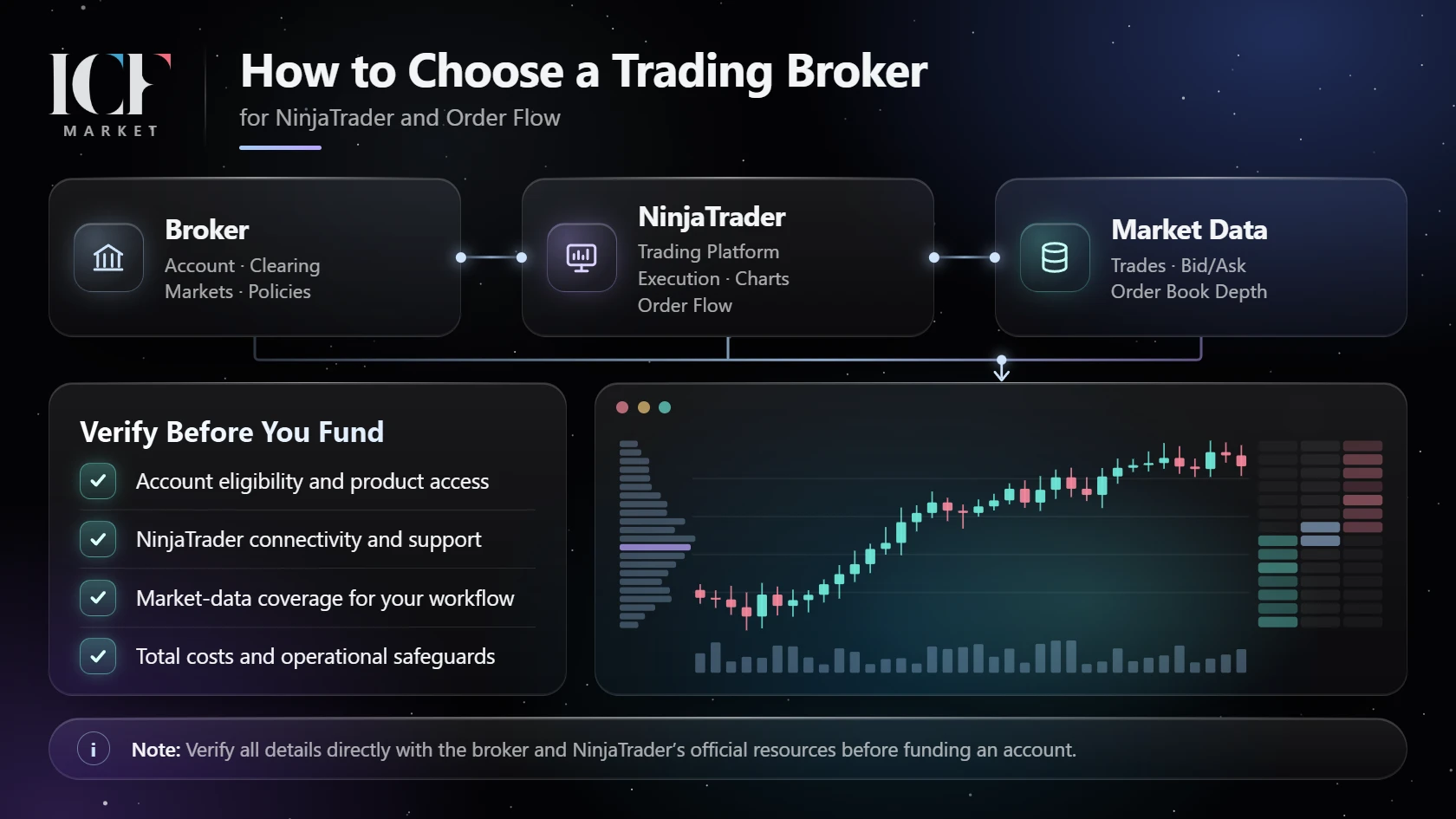
This guide applies to broker selection generally, then goes deeper where the choice affects NinjaTrader Desktop and futures order-flow analysis. If you trade stocks, spot forex or contracts for difference (CFDs), the eligibility, counterparty, data and protection checks still matter, but the product and regulatory details may be different. There is no universally best broker for every market, location or workflow.
Start with the account you are actually eligible to open
Before comparing chart features, identify the instrument, country of residence and legal entity that would contract with you. “Trades the S&P 500” is not a sufficiently precise product description: an exchange-traded index futures contract, a CFD referencing an index and an investment in an equity fund are different products with different market structures, account requirements and risks.
For each candidate, get direct answers to these questions:
- Which company is my contractual counterparty, and where is it regulated? A brand may operate through more than one legal entity. Check the entity named in the actual account agreement, not only the name on the website.
- Can a resident of my country open this specific account and trade the exact instruments I want? Ask about residency, product permissions, exchange access and any account-type restrictions. Do not infer eligibility from a general “global” marketing page.
- Who receives and holds customer funds, and who clears the trades? For a U.S. futures arrangement, an introducing broker (IB) can solicit or accept customer orders without accepting customer funds; ask which futures commission merchant (FCM) carries the account. Outside that framework, identify the equivalent contractual roles rather than applying U.S. labels indiscriminately. See the NFA's explanation of introducing brokers.
- What protections and dispute process apply to this legal entity and product? A regulatory license is a fact to verify, not a guarantee against failure or loss.
For U.S. futures and derivatives intermediaries, the CFTC recommends checking registration and background information, including relevant NFA records. That is one jurisdiction-specific screening step, not a worldwide licensing test. If you are choosing a U.S. securities broker rather than a futures broker, use Investor.gov's broker guidance and the relevant securities-regulator checks instead. For other countries, start with the applicable local regulator and the actual contracting entity.
Using a Mexico-specific comparison responsibly
For someone researching brokers from Mexico, a regional comparison can help identify names and questions worth investigating. Editorial disclosure: ICF Market and Finantres have a reciprocal editorial collaboration; the following resource is a partner reference, not our endorsement or verification of any brokerage.
Finantres México's comparison of trading brokers is a broader Spanish-language guide to trading-broker choices for people researching the Mexican market. It is not a list of verified NinjaTrader futures brokers. If a firm appears there, independently confirm that its specific legal entity can serve you, offers the product you intend to trade and supports your required platform and data setup.
Separate the broker, the platform and the data
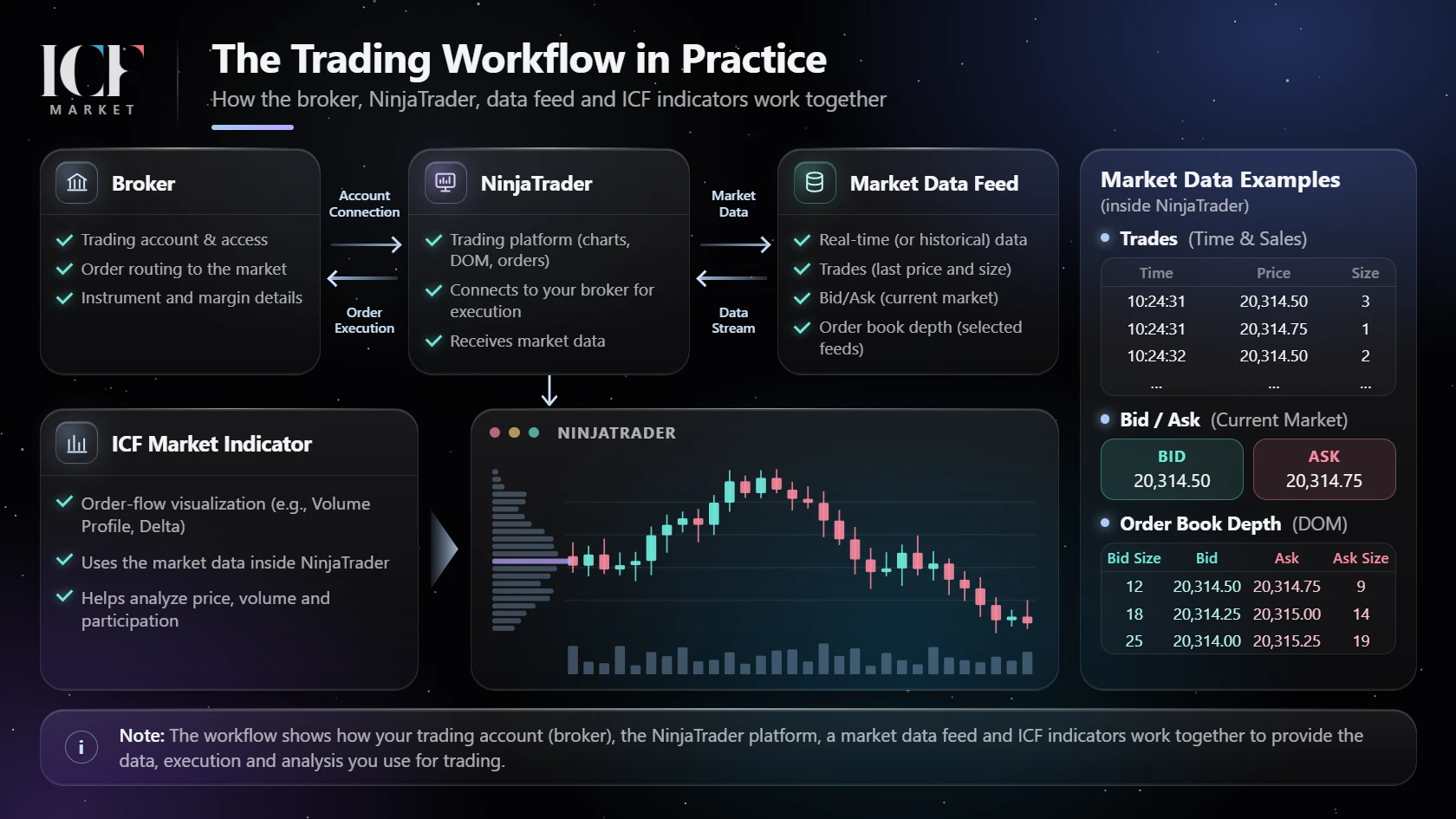
“Broker,” “platform” and “data provider” are sometimes used as though they were interchangeable. For order-flow work, that confusion can produce an account that places trades but cannot display the required history—or a chart that works while live orders cannot be routed.
| Component | What it is responsible for | What you need to verify |
|---|---|---|
| Brokerage / account entity | Your account agreement, eligibility, permissions, funding and account conditions; the execution and clearing arrangements may involve other parties. | Legal entity, regulator, carrying or clearing firm, product permissions, order support and withdrawal rules. |
| Execution connection | The technology used by trading software to submit orders to the selected trading account. | Exact connection type, supported NinjaTrader Desktop/account configuration and which account receives orders. |
| Trading platform | The interface used for charts, order entry and analysis, such as NinjaTrader Desktop. | Whether the needed functions are available for your account, software configuration and licensing terms. |
| Market-data provider and exchange entitlements | Real-time quotes/trades and, when offered, historical tick, bid/ask and depth information for a specific market. | Instruments, real-time vs historical coverage, data classification, depth availability, subscriptions and usage status. |
| Indicator developer | Native or third-party calculations and displays that consume platform data. | The specific indicator's input requirements and current compatibility—not a general claim that “order flow needs Level II.” |
ICF Market belongs to the indicator/software part of this picture. It does not replace a broker, carry customer funds or route exchange orders. Adding a chart tool cannot make an ineligible brokerage account eligible or repair a missing market-data entitlement.
Require two different proofs of NinjaTrader compatibility
A candidate is not “NinjaTrader compatible” for your purposes until it passes two separate checks.
Proof 1 — You can route the actual orders you intend to place. Ask the broker or account provider to confirm the specific account type, connection technology and supported version/mode of NinjaTrader Desktop. Confirm that the trading instrument is enabled for the account and whether your intended order types and risk controls are supported. A provider might support a platform in one account arrangement without supporting every other account or region. NinjaTrader's connection documentation distinguishes account and provider connections and notes that additional provider connections require the appropriate Multi-provider configuration.
Proof 2 — The charts receive the correct data. Ask whether the account connection supplies market data, whether you need a separate subscription or provider, and what is available in real time and historically for your instrument. Check the actual exchange entitlement and your data-user classification rather than treating a provider's advertised capability as an active subscription.
These are not the same proof. NinjaTrader documents multiple simultaneous connections: the selected trading account receives orders, while the data source used for a chart can depend on instrument support, connection order and preferred real-time or historical connection settings. A provider can support an instrument class without your account having the relevant data entitlement; the platform does not necessarily fall back to another feed to fill that gap.
Hypothetical example: You submit a futures order through Account A, but a separate connection supplies the historical ticks used by your footprint chart. The chart loading successfully says nothing by itself about whether Account A can submit that order. Conversely, being able to submit orders says nothing about whether the separate feed includes historical bid/ask-stamped trades. Verify each path and its subscription separately.
Before committing, request the vendor's current connection requirements in writing for your residence, account mode, instrument and NinjaTrader configuration. The official NinjaTrader data-by-provider reference is a useful technical starting point, but it is not a substitute for account-level entitlement confirmation.
Buy data for the workflow, not for a marketing label
“Real-time data,” “tick data” and “Level II” answer different questions. Trade prints record executed transactions; bid/ask quotes describe displayed prices; Level II market depth describes displayed resting liquidity at multiple price levels. A depth entitlement does not automatically grant historical bid/ask-stamped trade data, and a historical tick database does not automatically contain past depth changes.
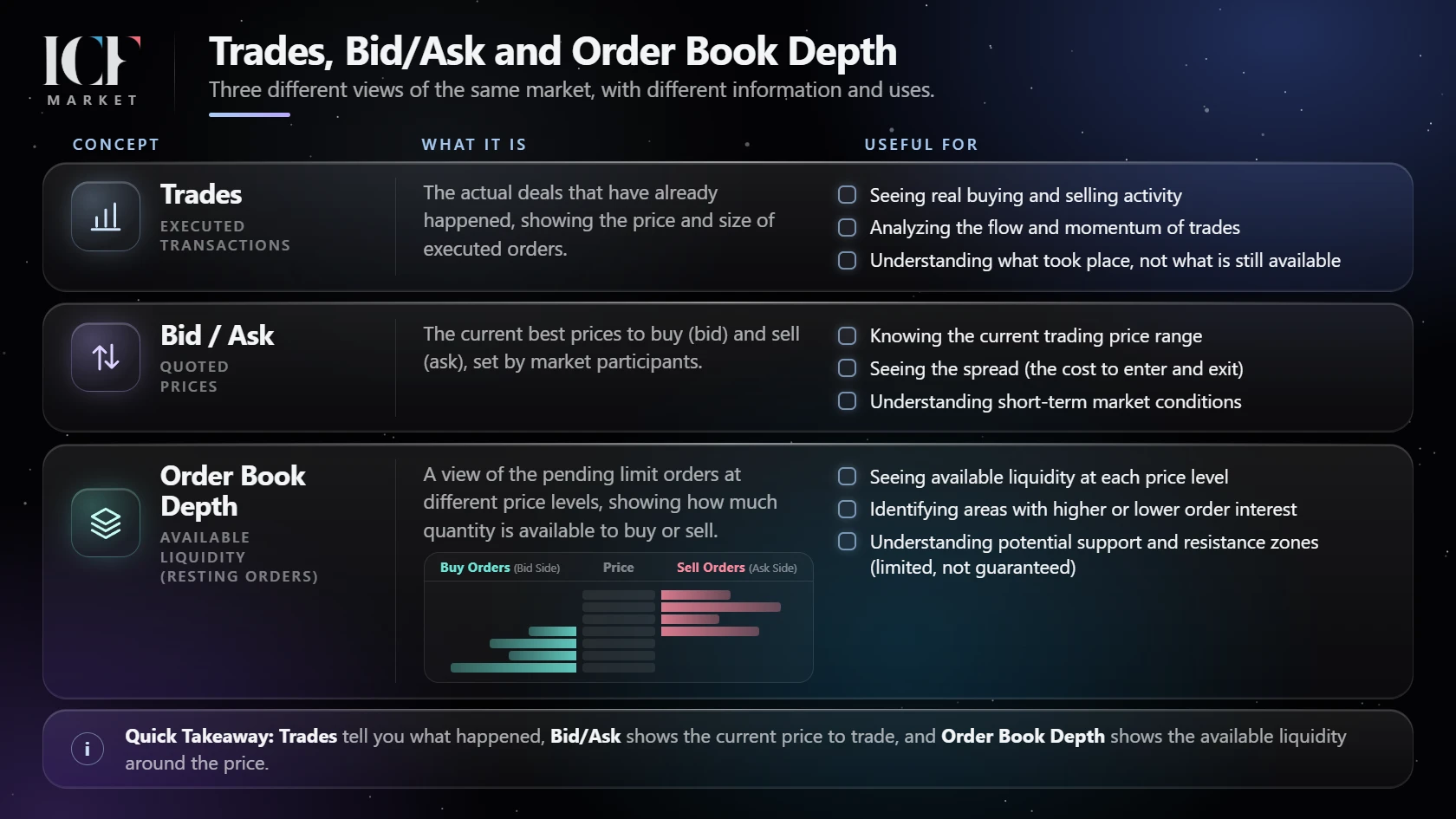
The correct question is “What exact data does this tool, in this mode and for this instrument, consume?”
| Intended workflow | Data to verify before paying | Important limitation |
|---|---|---|
| Basic live charting and order entry | Suitable real-time quotes/trades for the market and an executable account connection. | A charting entitlement does not prove live order permissions or execution quality. |
| NinjaTrader native Order Flow Volumetric Bars with BidAsk delta classification | Appropriate historical bid/ask tick data for the selected provider/instrument and any required current feed. | NinjaTrader documents a different UpDownTick classification when only historical last-tick data is available. The modes are not interchangeable measurements. |
| NinjaTrader native Order Flow Cumulative Delta, historical Bid Ask mode | Historical bid/ask-stamped tick data and support for the selected instrument/mode. | Its Up Down Tick mode has different data logic. Do not assume spot forex behaves like centrally traded futures. |
| Depth-of-market display or a depth-dependent map | The instrument's Level II/depth access, the number and type of depth levels exposed, and any historical-depth capability the exact tool needs. | Live Level II is not proof that a provider stores or delivers historical order-book changes. |
| Third-party NinjaTrader order-flow indicator | The developer's current requirements for that indicator and feature, cross-checked with the actual provider's capabilities. | There is no universal Level II requirement across all third-party order-flow indicators. |
Check software feature access separately from data access. For native NinjaTrader Order Flow+ functions, confirm that your current Desktop account, plan, add-on or applicable license actually enables the selected feature. Then confirm its required exchange/data subscriptions independently. Buying the right feed does not by itself unlock a software feature; software access does not supply missing historical ticks or market depth. Use NinjaTrader's current Order Flow+ access guidance and the permissions shown for your own account, rather than assuming a particular price or entitlement.
NinjaTrader's Volumetric Bars guide distinguishes BidAsk classification from UpDownTick classification and notes a spot-forex limitation. Its Cumulative Delta guide explicitly identifies historical bid/ask-stamped ticks for historical Bid Ask plots. These are specific native-tool examples, not proof of the requirements for every ICF or other third-party indicator. For the charting concepts themselves, see ICF Market's guide to footprint and cluster charts. Its discussion of tick and Level II data must not be read as a blanket requirement for every footprint: a trade-based footprint is different from a depth-based overlay, and Level II is relevant when the particular feature uses resting order-book depth. Verify each tool's mode and data requirements before paying for a depth entitlement; this broker-selection guide does not teach footprint analysis.
For a market-depth map, ask about displayed Level II depth, but verify the particular tool's requirements and whether the feed provides replayable or recorded depth. For any workflow, also ask about historical backfill, symbol mapping, contract roll/continuous-series handling, session templates and timestamp behavior. These details affect reproducibility even when a live chart looks correct. NinjaTrader's provider-capability table distinguishes several historical and real-time data types; the actual entitlement still needs provider confirmation.
If you are still deciding whether the platform's native capabilities meet your needs, review what NinjaTrader already includes before budgeting for additional software. Do not buy a data package—or a third-party add-on—based on a generic “supports order flow” claim.
Price the account as a whole
Ask each shortlisted firm to quote costs for the same instrument, account type, volume assumptions, residence and data status. Do not compare one broker's opening-leg commission with another's all-inclusive round-trip number.
The cost request should include:
- Trade-related charges: brokerage commission, exchange and clearing fees, regulatory or transaction fees where applicable, any routing/technology charge and whether each figure is per contract, per side or per completed round trip. Ask which items are bundled so you do not double-count them.
- Market data: exchange subscriptions, professional/non-professional classification, Level I/Level II entitlements, historical data, additional feeds and any separate charting connection.
- Platform and software: recurring platform charges, account-specific plans, separate tools and applicable licensing terms. Check whether a feature is included, separately licensed or unavailable; do not infer this from a screenshot.
- Account and cash operations: minimum funding, withdrawal or transfer fees, currency conversion, inactivity or administration charges, and when funds become available.
- Market-access and risk conditions: commissions are only one part of the economics. Ask for current intraday and overnight/initial or maintenance margin policies, liquidation procedures, instrument limits, position and order restrictions, and treatment around major events or holidays.
For markets other than exchange-traded futures, use the relevant pricing model instead of a per-contract futures formula:
- Spot forex and CFDs: Ask for the typical and variable bid–ask spread, any broker markup, commission per trade or lot, and how quotes and orders are handled (including spread changes, slippage or requotes where applicable). For positions carried overnight, check the exact financing, swap or rollover method, cutoff and any different long/short terms. The UK FCA's discussion of CFD pricing and funding charges illustrates why the advertised spread alone is not the full cost; it is not a statement about every firm's charges or the rules in every country.
- Stocks and ETFs: Ask whether commissions are flat, per trade, per share or tiered, and whether exchange or regulatory charges apply. Consider the actual bid–ask spread and order-routing/execution terms even if an account advertises zero commissions. If you borrow to invest or sell securities short, ask separately about margin-loan interest and stock-borrow costs, where applicable. Investor.gov's brokerage-account fee guidance explains transaction charges and margin interest in the U.S. securities context. For any account funded or traded across currencies, include conversion fees or exchange-rate markups.
Compare candidates on the same instrument, realistic order size and holding period, with execution terms and recurring services visible. For an exchange-traded futures cost comparison specifically, request the all-in opening and closing cost per contract and a separate monthly schedule of required services. That round-trip-per-contract method is not a universal metric for FX, CFDs or equities. A lower posted commission does not automatically mean lower total cost, especially if you need an additional historical-data feed or software license. The CME broker education material treats technology, commissions, platform/data fees, permissions and margin as distinct selection considerations.
Margin is not the maximum you can lose. A broker's intraday margin policy is an account risk requirement, not an estimate of a futures contract's downside. Price gaps, slippage and forced liquidation can cause losses exceeding an expected stop distance; applicable rules and protections vary by account and jurisdiction.
Rehearse the failure cases before funding
A platform demonstration can establish that menus and data connect. It cannot establish that your future live fills will match simulated fills, that a broker will never disconnect or that an order will execute at its intended price.
When the provider offers an authorized demonstration or simulation environment, test the configuration you plan to use. In particular:
- Identify the account path. Confirm which account is selected for order entry and which connection feeds each chart. Verify the instrument and contract mapping.
- Check the data path. Load both live and historical views needed by your actual indicators. Inspect gaps, bid/ask classification and available depth; note what cannot be tested without a paid or live entitlement.
- Check order handling. Ask where protective and linked orders are held and managed, which order types are native or locally simulated, and what happens if the platform closes or loses connectivity. Do not assume an OCO or stop has a particular server-side behavior.
- Practice a support incident. Find the trading desk's contact route and hours. Ask: “If my chart or Internet connection fails while an order is working, who can tell me the live order status and, if permitted, cancel it?”
- Preserve the evidence. Keep the applicable written account terms, fee sheet, support answer, data subscription confirmation and the date verified. Simulation results are not evidence of an edge or guaranteed live performance.
If a necessary capability can only be checked after a paid subscription or active account exists, record that as an unverified dependency rather than pretending the pre-funding test was conclusive.
Use an evidence-first broker comparison worksheet
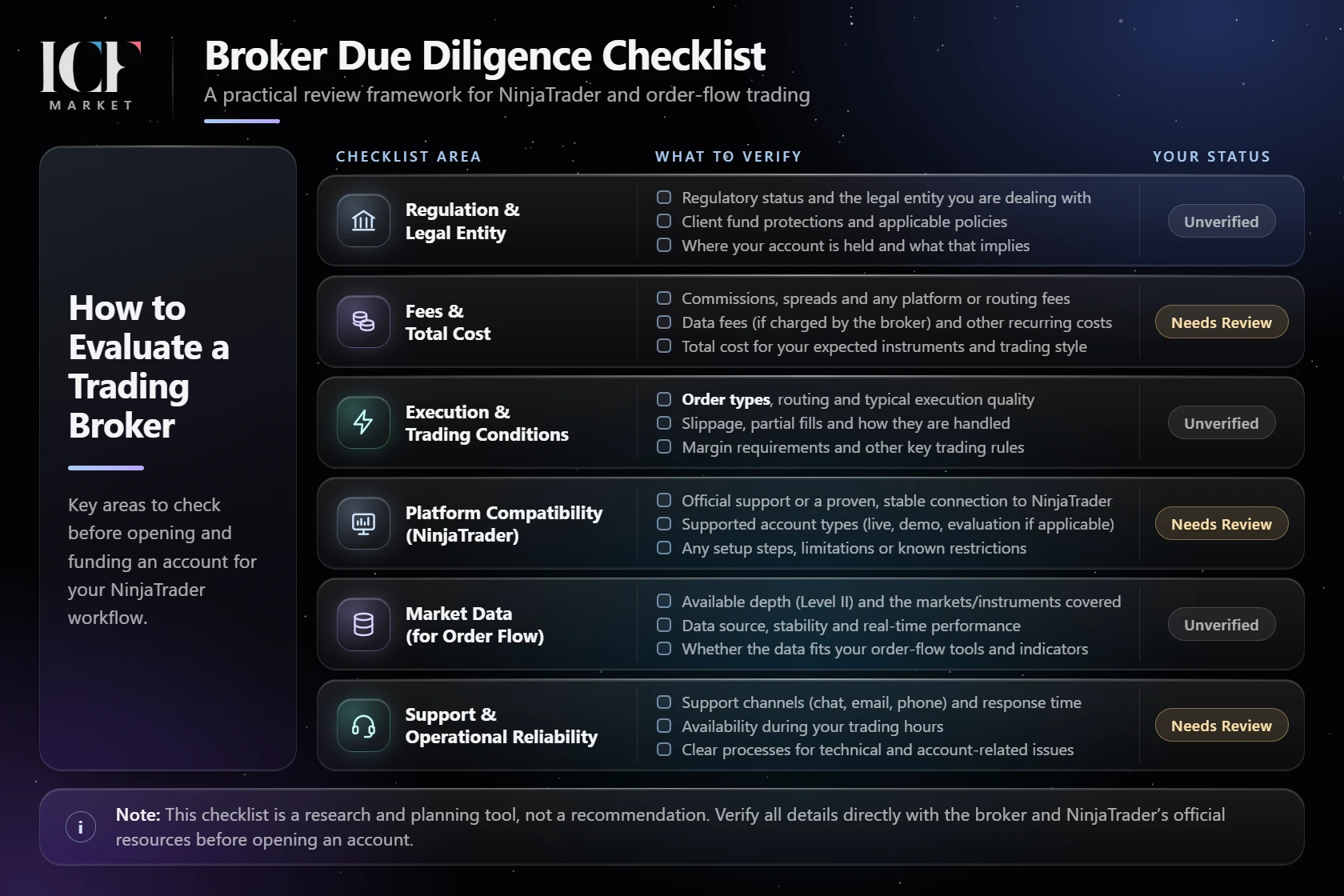
The useful comparison is not a weighted score. A provider can be cheap and still be unusable if it cannot serve your residence, route your intended account or supply required data. For each candidate, fill in the actual answer and keep its source.
| Decision gate | Evidence to obtain | Ask / check with | If the answer is missing or incompatible |
|---|---|---|---|
| Residence and product | Contracting legal entity, account eligibility and exact market permissions. | Broker's account/onboarding team; applicable regulator. | Exclude if ineligible; hold if not confirmed. |
| Account, custody and clearing | Account agreement, carrying/clearing entity and applicable protection/dispute regime. | Brokerage documents, FCM/IB where relevant, official registers. | Hold pending independent verification. |
| Execution via NinjaTrader | Supported Desktop connection, account type, order permissions and limitations. | Brokerage technical desk and current platform documentation. | Exclude for this workflow if the required execution path is unavailable. |
| Live and historical data | Instrument-level subscriptions plus required trades, bid/ask-stamped ticks, depth and history. | Data provider/exchange entitlement desk and indicator documentation. | Hold or change the data/workflow plan; a working chart is not enough. |
| Total operating cost | Market-appropriate commissions, spread/markup, financing or borrowing when applicable, plus subscriptions, software and cash-service charges. | Current fee schedule and written quote for the exact instrument, account and holding period. | Hold comparison until figures are made comparable. |
| Account risk and operations | Margin/overnight policy, order handling, outage procedures, withdrawal rules and reachable support. | Risk desk, trading desk and account terms. | Do not fund when essential operating procedures are unresolved. |
A useful final record is one sentence per candidate: “For my residence, instrument and NinjaTrader setup, the account and required data are confirmed, unconfirmed or incompatible, based on the dated evidence I kept.” Choose the applicable status and name the evidence in your own record; do not mark an unanswered item as confirmed.
Decide only after the unanswered questions are closed
The right broker is the eligible and verifiable one whose execution connection, data entitlements, total terms and support arrangements fit the specific workflow—not whichever name tops a generic ranking. If either NinjaTrader order routing or the required historical/depth data remains unverified, the decision is not complete. And if the account works operationally, that still says nothing about whether a trading strategy will make money.
For more context on interpreting the data once you have verified the infrastructure, explore ICF Market's volume and order-flow analysis education. It is an educational next step, not a substitute for account due diligence or a promise of trading results.