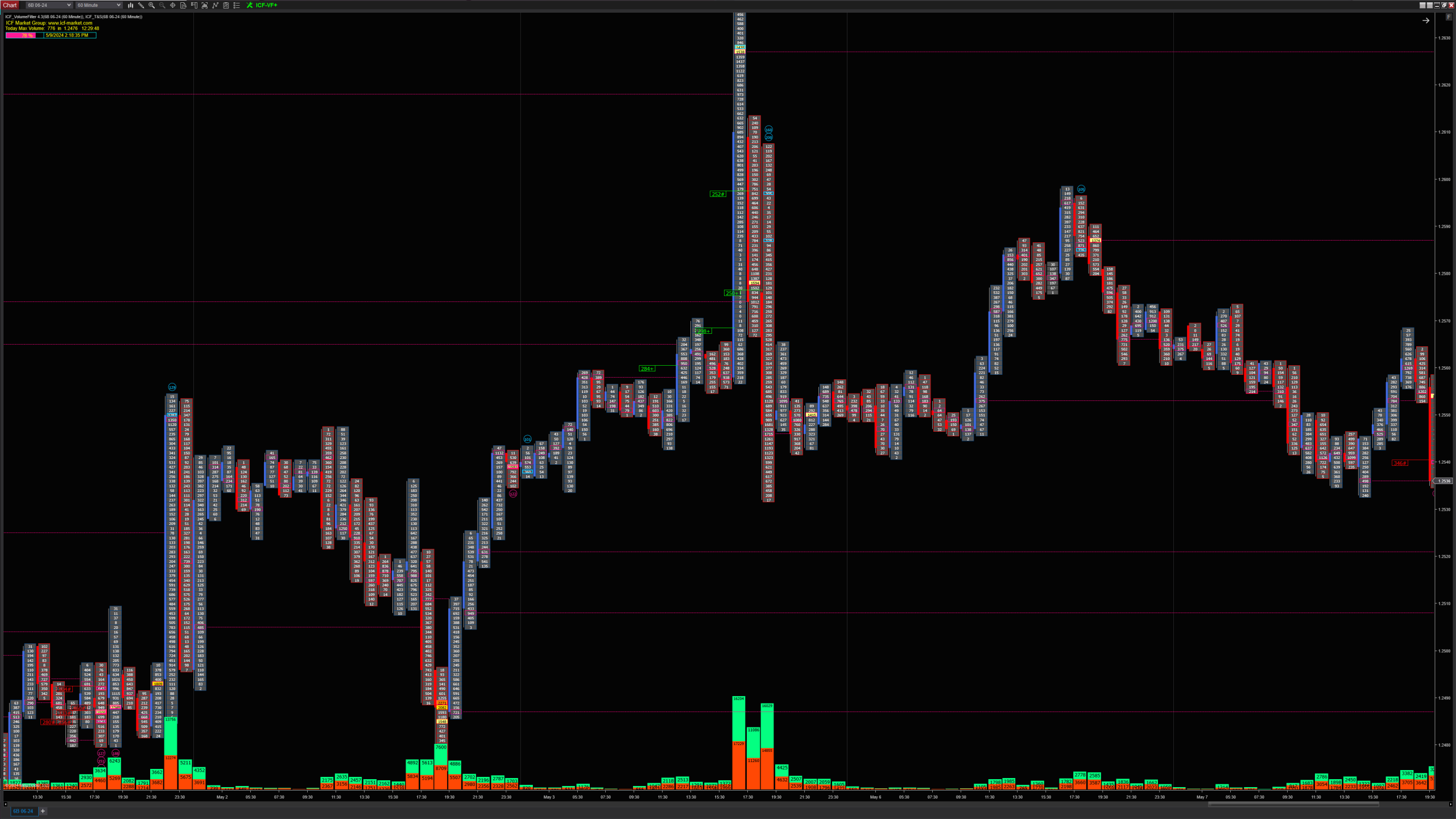
ICF Volume Footprint Box Chart - Advanced Order Flow Tools for NinjaTrader 8

.

You will only have access to the following items from thet Elite Volume Indicators Orderflow Tool Suite for NinjaTrader:

  • ICF_Volume Journal
  • ICF_Volume Filter Detector
  •  ICF_Volume Filter Indicator (Box Chart)
  • ICF_Footprint Chart
  • ICF_Journal
  • ICF_NEWS
  • ICF_Order Book
  • ❌ ICF_SESSIONS
  • ❌ ICF_Time and Sales List
  • ICF_Volume Profile
  • ❌  ICF_VWAP
  • ICF_Trend Path
  • ICF_Alarm


📩 You will receive your license key within 24 business hours (usually 2–3 hours) by email.


$350

 ICF_VolumeFilter+ Addon Features

 ICF_VolumeFilter+ Addon Features

1. Volume Filter Settings

  • Filters Font: Set the font size for volume filter labels.

  • Volume Filters 1–5: Customize settings for up to five volume filters, including color, min ATS, min AVB, time intervals, and alerts.

  • Bar Volume Filters: Configure two filters and average bar volume settings.

  • Highlight Filters: Select and highlight specific filters for better visualization.

2. Trade & Bar Settings

  • Trade Size & Big Trade Filters: Customize colors, filter values, font sizes, and minimum volumes.

  • ATS/AVB Filters: Set colors and thresholds for Ask Trade Size (ATS) and Bid Volume Size (AVB).

  • Bar Delta: Set color scheme and thresholds for bar delta analysis.

  • Daily Low/High & Value Area: Display settings for daily high/low and value areas.

  • VAH/VAL & Signal Settings: Enable or adjust Volume Area High/Low and signal display options.

ICF_VolumeFilter+ Add-on Features:


ICF_VolumeFilter+ Addon Features

1. Volume Filter Settings

  • Filters Font: Set the font size for volume filter labels.

  • Volume Filters 1–5: Customize settings for up to five volume filters, including color, min ATS, min AVB, time intervals, and alerts.

  • Bar Volume Filters: Configure two filters and average bar volume settings.

  • Highlight Filters: Select and highlight specific filters for better visualization.

2. Trade & Bar Settings

  • Trade Size & Big Trade Filters: Customize colors, filter values, font sizes, and minimum volumes.

  • ATS/AVB Filters: Set colors and thresholds for Ask Trade Size (ATS) and Bid Volume Size (AVB).

  • Bar Delta: Set color scheme and thresholds for bar delta analysis.

  • Daily Low/High & Value Area: Display settings for daily high/low and value areas.

  • VAH/VAL & Signal Settings: Enable or adjust Volume Area High/Low and signal display options.

3. Chart Display Settings

  • Chart Details & Mark Line Up/Down: Customize chart markers and line settings.

  • DeltaBox: Adjust timer and display options for the delta box.

4. Graph & Line Settings

  • Delta Line & Graph: Control display and behavior of delta lines and graphs.

  • ATS & AVB Graphs: Set display preferences for ask and bid volume graphs.

  • Volume Graph: Customize the appearance of volume graphs.

  • Delta Box Display: Set color and line type for the delta box, with grid options.

5. General Display Options

  • Bars Background & Volume Font: Adjust background opacity and font size for volume.

  • Show POC & POC Extended Filter: Toggle Point of Control (POC) display and configure extended filters.

  • Grid Settings: Customize grid appearance for down bars, up bars, and Doji bars.

6. Additional Options

  • Multiple Prices Per Row: Define how prices appear per row.

  • Reload & AutoSet: Quick access to reload indicators or apply default configurations.

This addon provides extensive customization for filtering volume data, trade sizes, and chart details, enhancing your trading analysis with a visually intuitive setup. Let me know if you need further adjustments or additions!

0